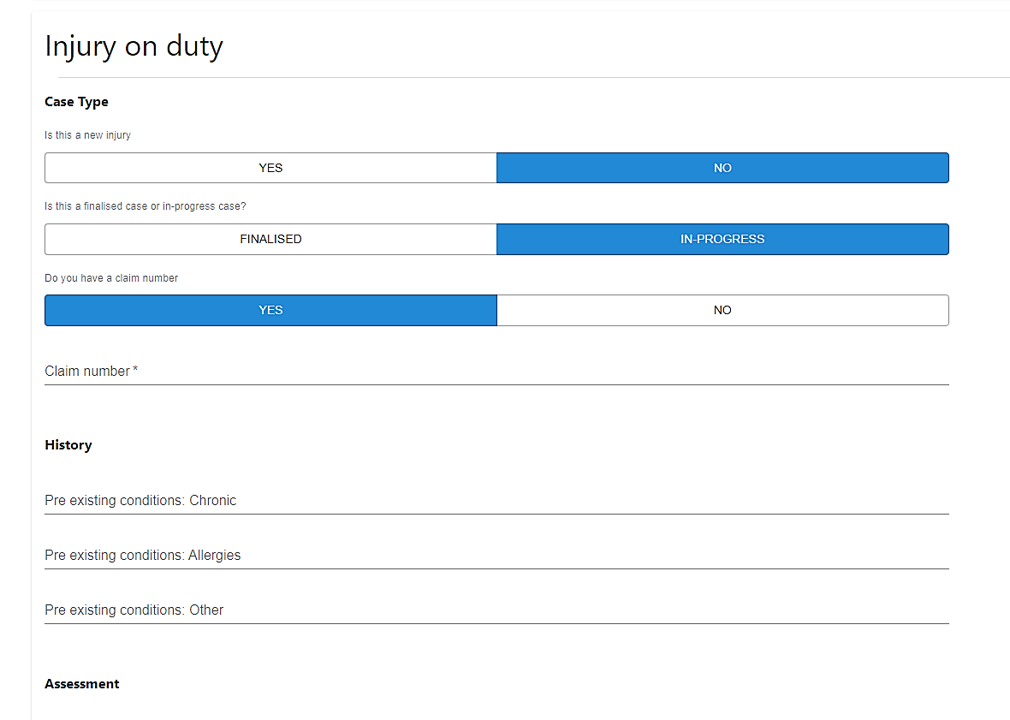
We have updated the Injury on Duty consultation to accommodate different stages in the process, namely new, in-progress and finalised injury. You are now able to leverage the “Copy procedure values” and include information previously captured where it is an update in the same case.
|
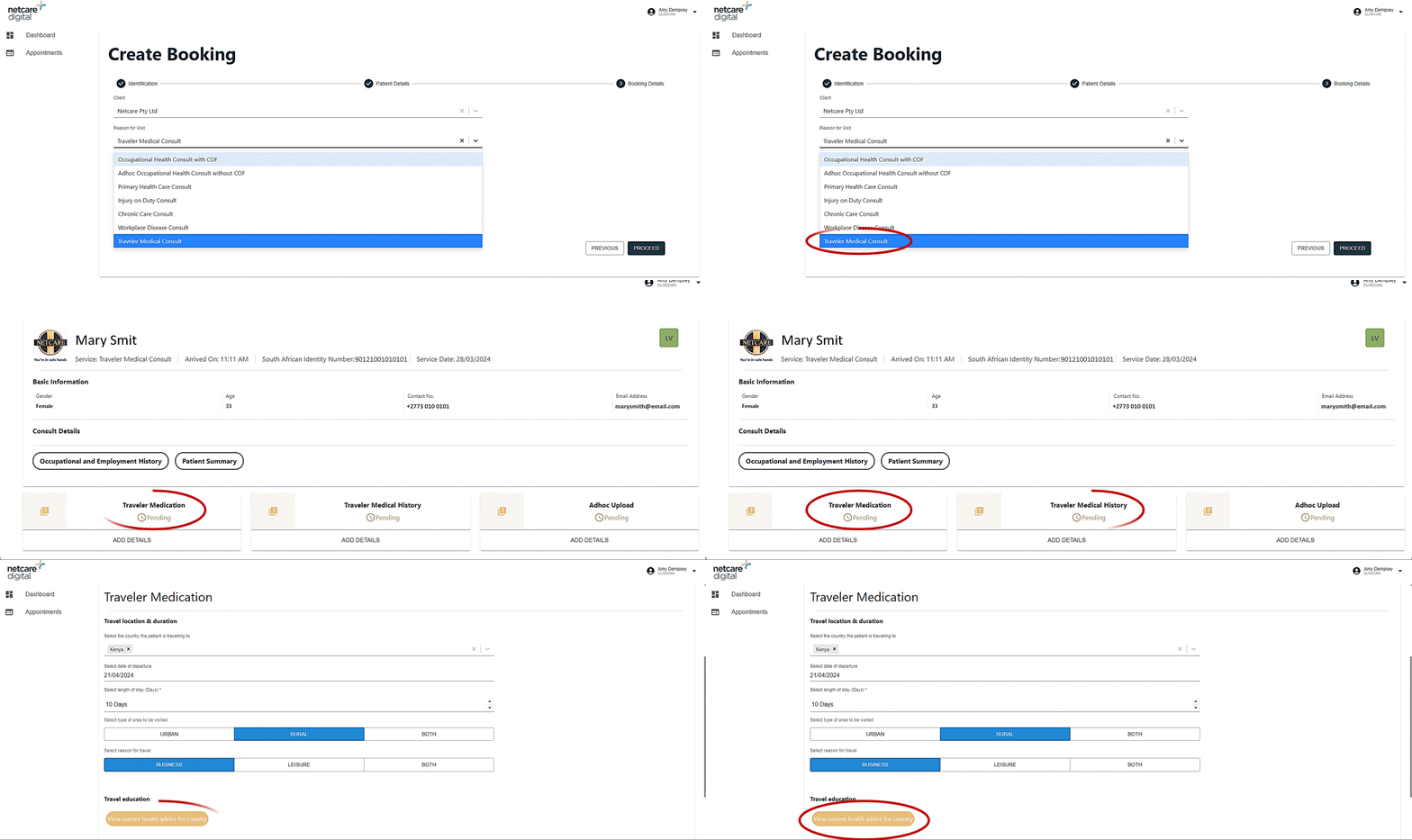
We have created a new consultation type, called Traveller Medicals Consult. This is available for selection during the consultation booking process and includes two newly created forms:
- Traveller Medication, which is the form for capturing medication administered to the patient as well as access a link to the health advice available for the country the patient is visiting.
- Traveler Medical History, where you are able to capture the travel specific medical history for the patient.
|
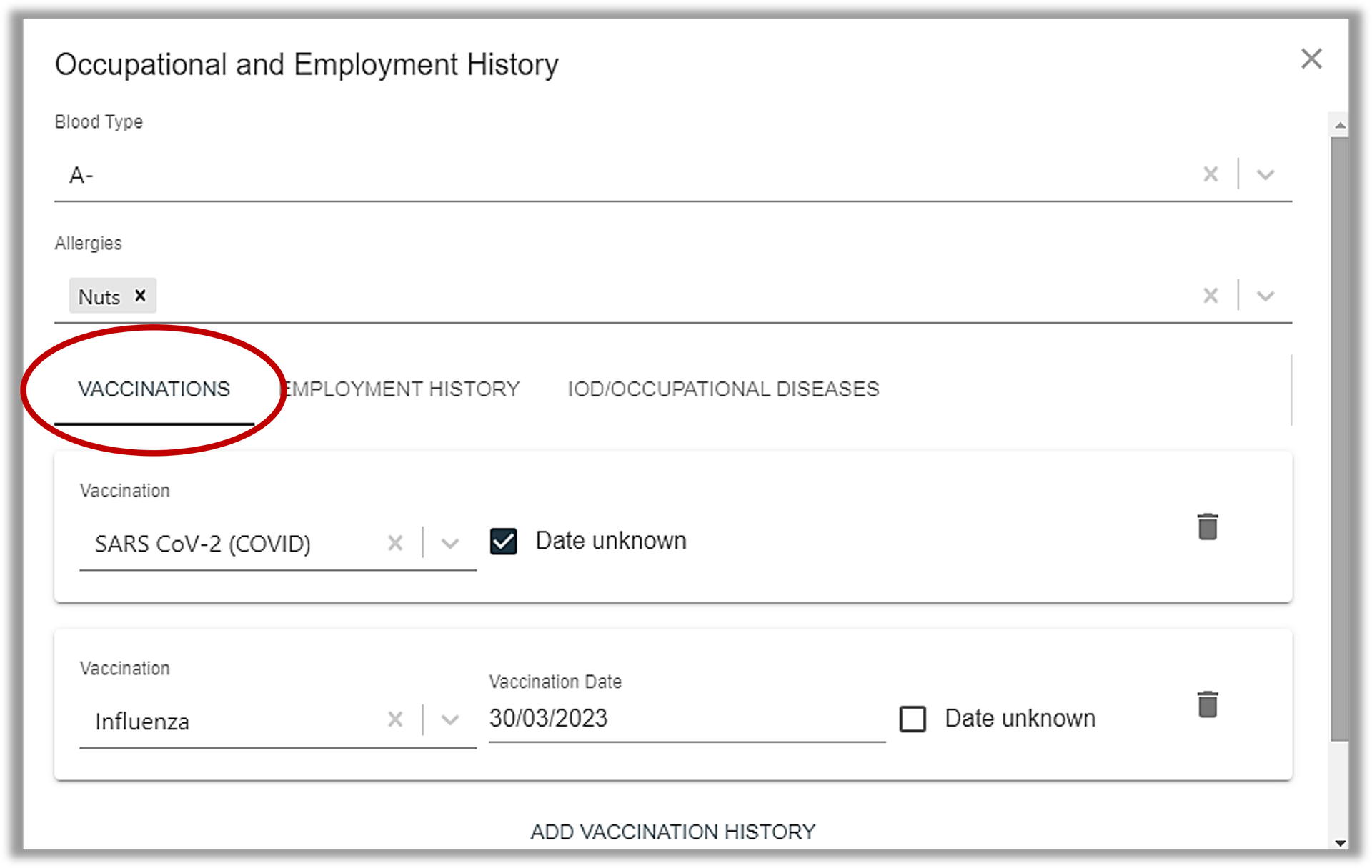
Originally, vaccination history was a standalone form included typically in the Occupational Health Consult with COF or as an Adhoc consultation. However, with the introduction of the Traveller Medicals consult, additional vaccination history would have been required. To remove duplicate capturing and centralise the exercise, we have relocated Vaccination History to the Occupational and Employment History widget on the patients profile. This will be accessible on all consultations.
When completing the vaccination history, please add the date if it is known, otherwise simply select “Date unknown” to remove the need to complete that information.
|
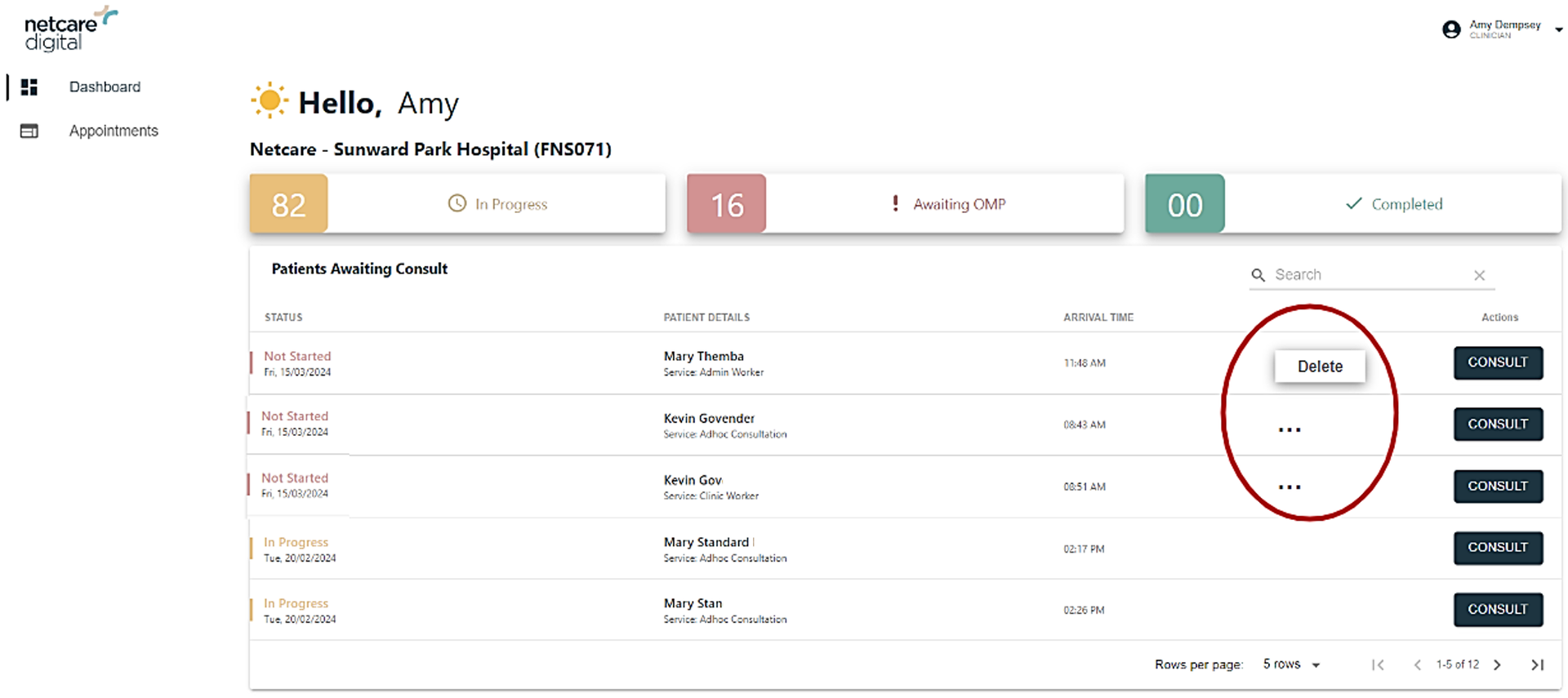
Sometimes an error is made whereby a patient is arrived for the wrong consult type, with the incorrect details and/or should not have been added onto the Care@Work system. To assist in these scenarios, we have enabled a "Delete" consult function on the clinician's and OMP's dashboard for patients consultations not yet started.
How this will work is, on the dashboard, the consultations that are marked "Not started", will have three dots icons next to the consult button. Upon selecting the three dots, a Delete button appears and when the clinician selects that Delete button, the consultation will be removed from the dashboard.
|